
. . Business Apps NET

Privacy Tools, Local AI


Private AI . Tools . OpenGPT . Gemma3 . AI Models . Cloud GPUs


  • Download the OpenVPN-Connect Application from the Apple AppStore.
    AppStore Download Link

    (or search the AppStore for "openvpn connect")


  • Tap Open in OpenVPN at the top

    iOSOpenVPNConnect2


  • In the OpenVPN connect Application, tap the Green + sign to add the VPN Profile.
    Use the profile noad.ovpn
    from this decentralized server

    Or open the profile from the iOS Files App. Select open on OpenVPN Connect. (on some iOS versions it can only be imported by email)

    iOSOpenVPNConnect3

  • Leave username and password blank
  • To connect, Use the Slider below the Word Disconnected.

    iOSOpenVPNConnect4


  • Connected screen

  •  

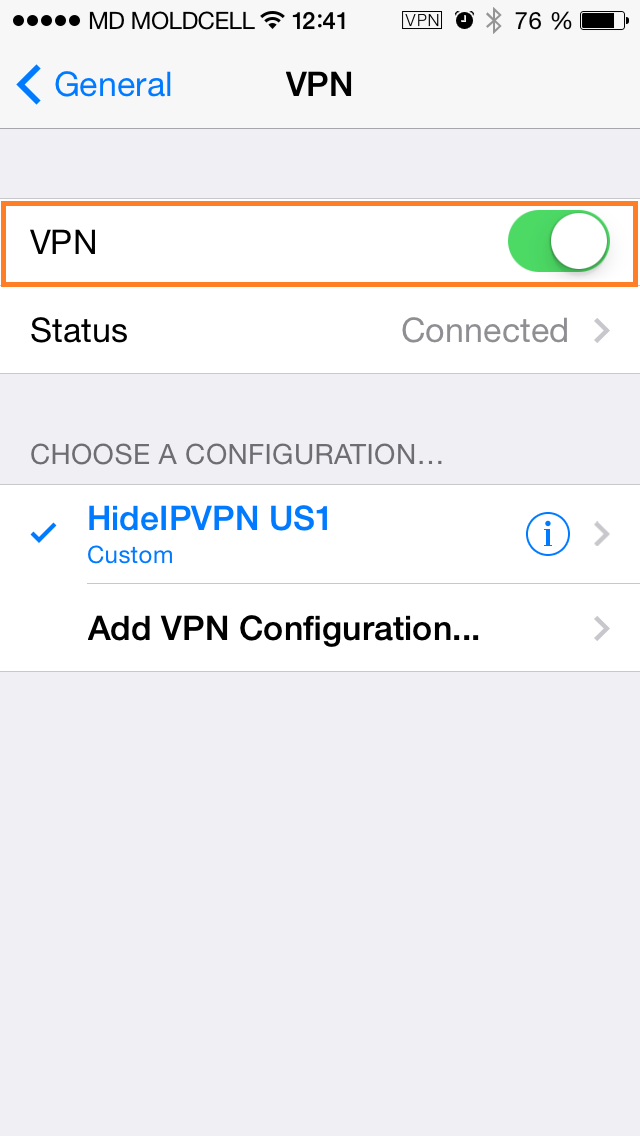
  • You can now connect to the AdBlock VPN.


    Check your connection to the AdBlock DNS by browsing to http://10.8.0.1/check

    Done. You are connected. Enjoy BA.net AdBlock VPN


    Private AI . Tools . OpenGPT . Gemma3 . AI Models . Cloud GPUs


    AdBlock OVPN . Privacy App . AI News . RAG Tools . AI Models . Use Cases . Docs . On-Prem GPUs . Cloud GPUs

    . . . . .

    Business Apps NET BA.net - Privacy Tools Local AI Cloud GPUs OpenGPT ChatGPT Gemma3 Nvidia Nemotron DeepSeek OCR Qwen3 Custom AI Models AdBlock Pihole VPN dApps ETH BA.net - Offline AI Edge AI Free AI No Registration No Login No Account - dapps@ba.net